
PDF to Word: see a before-and-after example
This example shows a real conversion using Preserve appearance. The report uses fictional data and was converted by the User PDF engine, without manual changes to the generated Word file.
How to reproduce the comparison
- Download the original demo PDF below. It contains no customer data.
- Open PDF to Word, upload the sample, and select Preserve appearance.
- Compare your result with the sample Word file: check the title, colors, table, and footer.
- Try editing a text block in your editor. Keep the original file for comparison.
What was compared
The example has one page, a blue header, an information banner, and a table with three records. Conversion preserves the page layout and places compatible text in editable blocks. The result image was produced by opening the generated DOCX in LibreOffice and rendering it again; it is not a copy of the original image.
How to interpret the result
The visual table structure was preserved, but it was not reconstructed as native Word cells. This demonstrates one specific file and is not a guarantee for every PDF. Word and LibreOffice may display differences depending on available fonts.
Which option to use for your document
Preserve appearance suits small corrections while keeping elements in position. To rewrite long paragraphs, try Flowing text. To organize values in cells, use PDF to Excel and review the extraction.
Real documents remain private
Only the fictional files in this demonstration are public. Documents uploaded to tools remain linked to your session or account; they are not used as examples, promotional content, or search engine pages.
Compare the original PDF with the converted Word document
Fictional document. The two images were rendered separately: the first from the PDF and the second from the generated DOCX opened in LibreOffice.
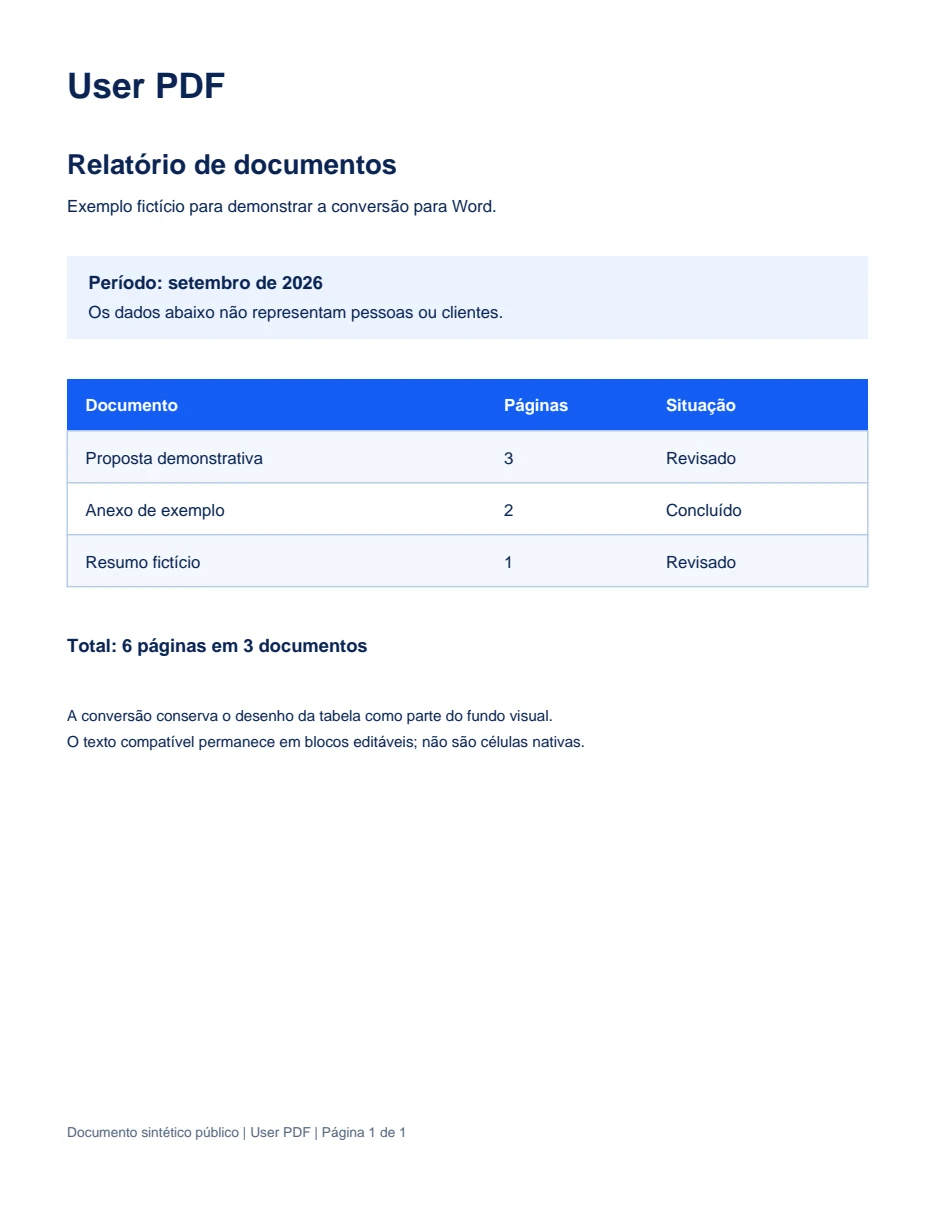
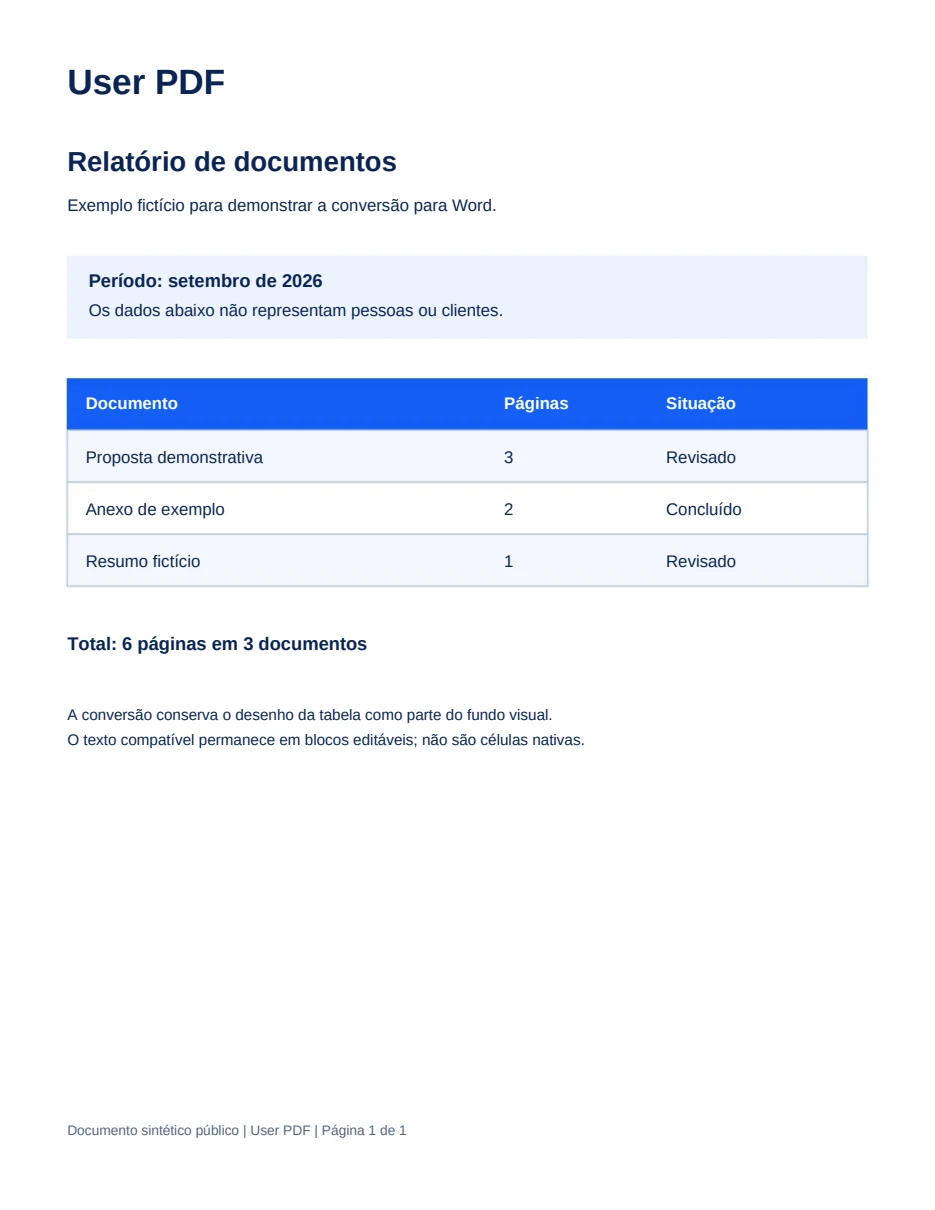
Compatible text remains in editable blocks. The table's visual layout is preserved as a background; these are not native Word cells.